

MPC Sample projects on your standalone MPC — your way.
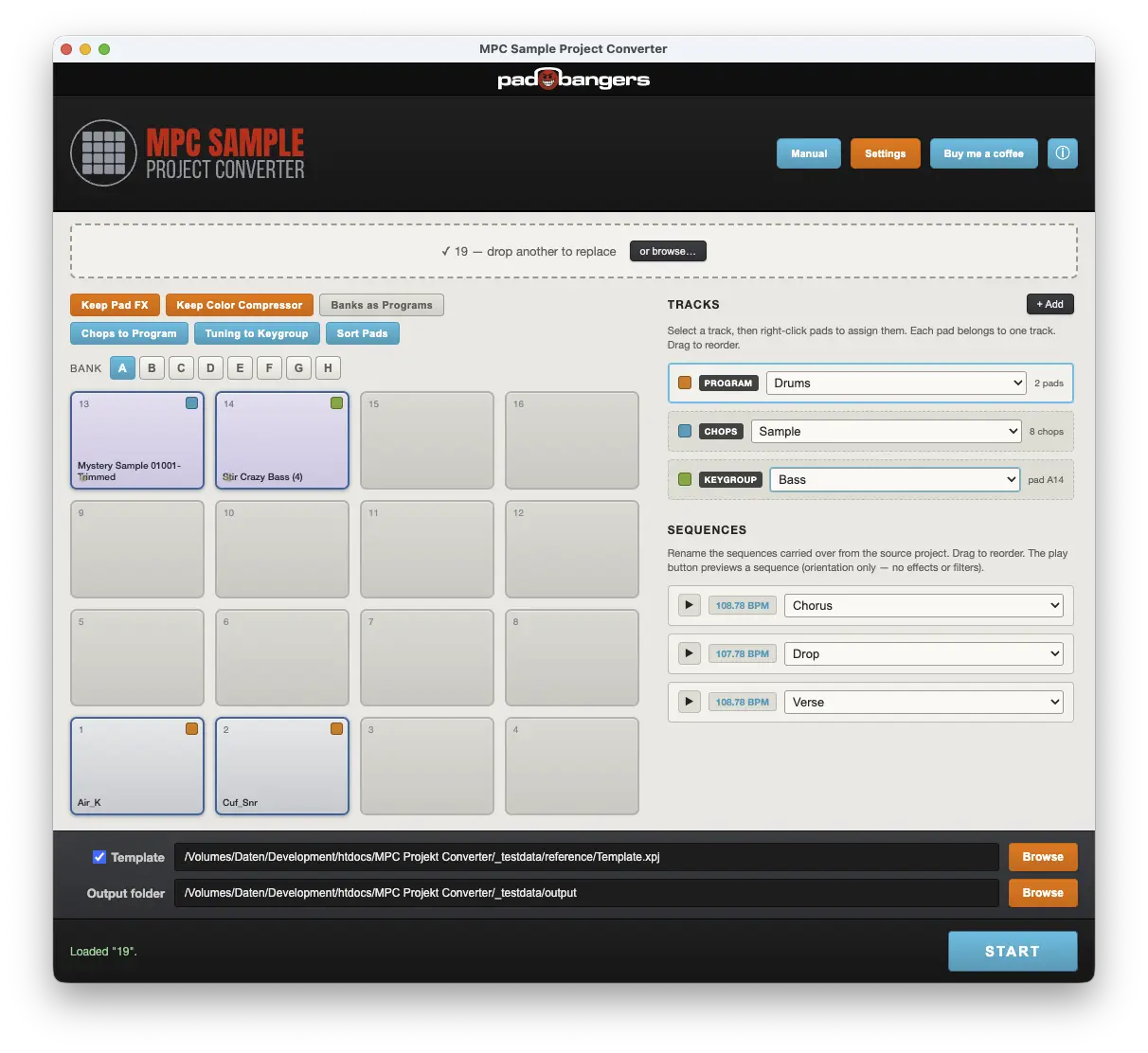
For the big standalone MPCs — MPC One, MPC Live and MPC X/XL. When they import an MPC Sample project, everything ends up crammed into a single track — hard to read and hard to edit. This app splits it into clean tracks and turns your chops and "16 Levels" tuning melodies into real, playable programs: chops become a chop program, tuning melodies become keygroups — plus an in-app preview and an optional template for your own mixer setup. Now also supports converting to MPC 2.
Standalone desktop app · macOS, Windows & Linux · Installer or portable.
Features
Tracks, your way
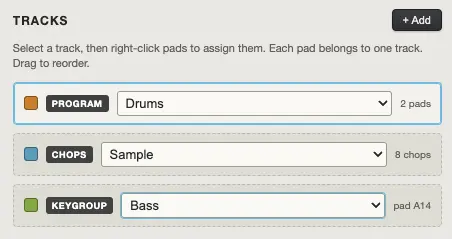
Split pads into tracks (each holds a drum program) and name them from a preset list (Drums, Bass, Chops, Guitar, Loop, One Shots…) or your own. Drag rows to reorder — the order is kept in the export.
Chops to Program
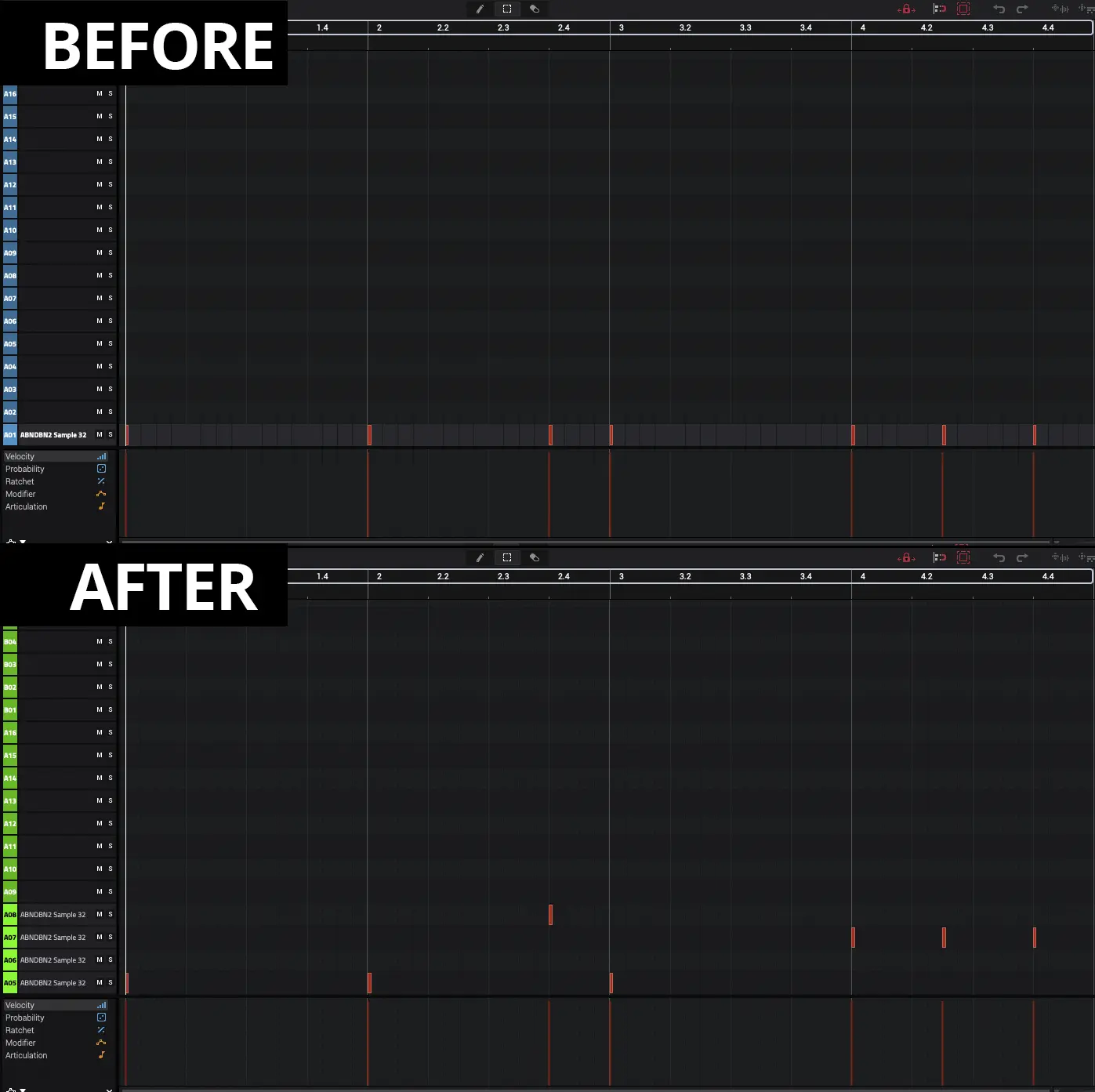
MPC Sample chops live inside the sample, and the standalone MPC can't take them over directly. The converter detects a chopped sample automatically and turns it into its own drum program — one chop per pad, starting at A1. Your performance is rebuilt as real MIDI notes: each hit lands at its original time on the pad of the chop it actually triggered, with the original length and velocity, and the chops choke each other just like the mono source pad. Pitch, filter, envelopes and warp settings come along.
Tuning to Keygroup
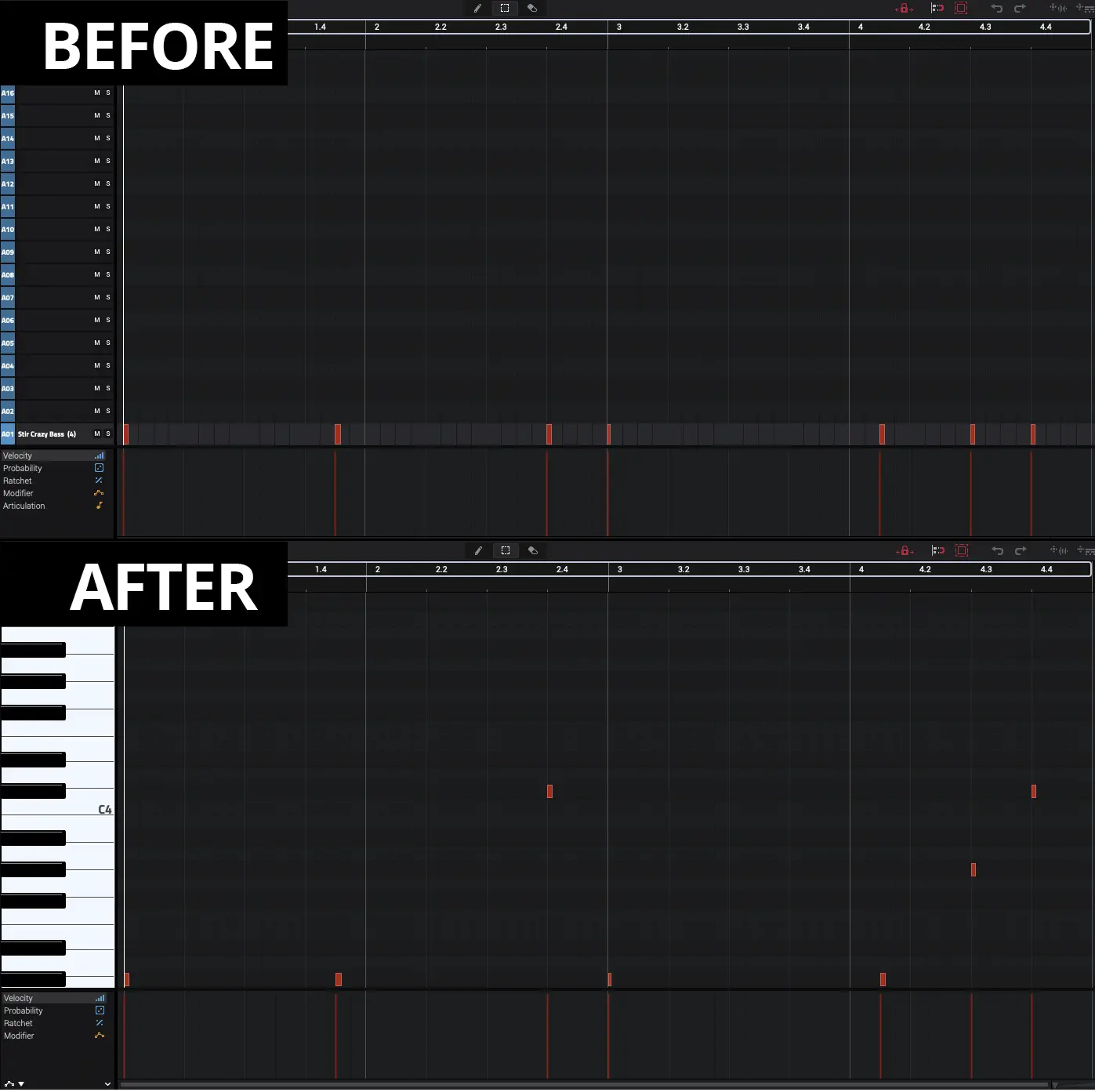
A sample played as a melody via "16 Levels" Tuning becomes a real keygroup program. The melody is converted to real, in-tune MIDI notes — the pitch per note is read from the tuning data and placed relative to the sample's root note, so it plays chromatically in tune. Filter, envelopes, note on/off behaviour and warp settings are carried over too.
Sequences
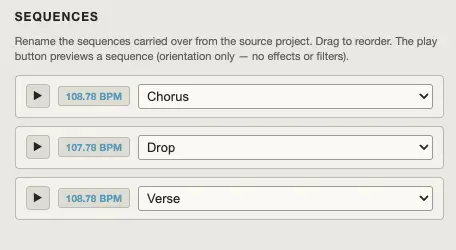
Every sequence is carried over, along with the Song Mode playlist. Rename each one from musical presets (Intro, Verse, Chorus, Bridge…) or your own labels, and drag the rows to reorder them.
Preview pads & whole sequences
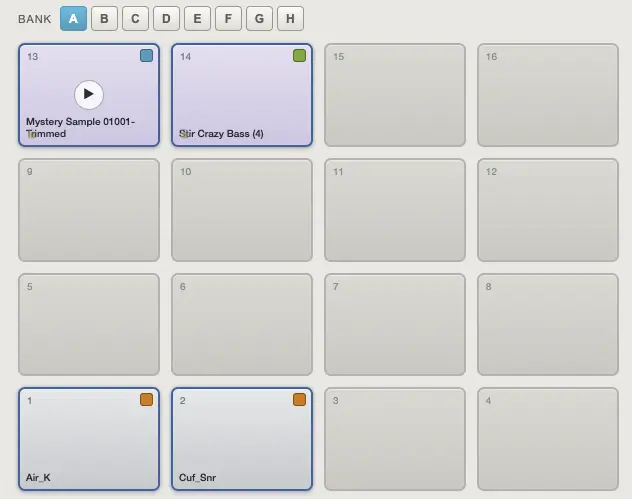
Audition any pad, or press play next to a sequence to hear the whole thing loop — with the right timing, pitch (tuning), chops and pad mono/choke, so you can tell sequences apart before naming them. It's a quick orientation aid; effects and filters aren't reproduced. Pick the audio output device in Settings.
More options to match your workflow
If you already sort your sounds by banks, one click turns each used pad bank into its own program. Sort Pads lays every program's samples out from A1 with no gaps (notes remapped to match), so programs stay tidy. You can choose to carry the source's effects over or ignore them.

Settings
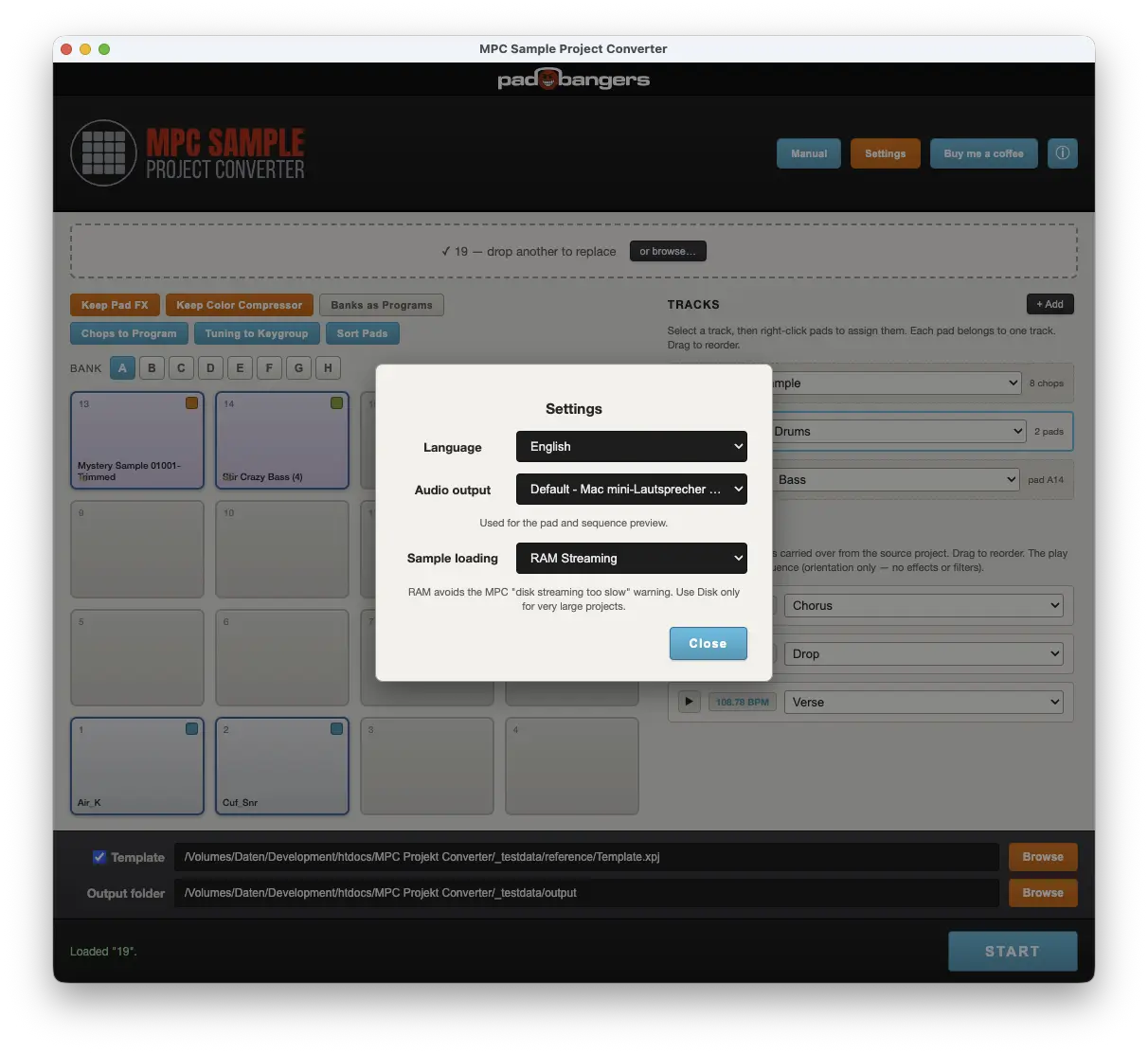
Choose the output format (MPC 3 or MPC 2), the interface language, the audio output device used for the pad and sequence preview, and the sample loading mode — RAM by default (which avoids the MPC "disk streaming too slow" warning), or Disk for very large projects.
Supports converting to MPC 2 & MPC 3
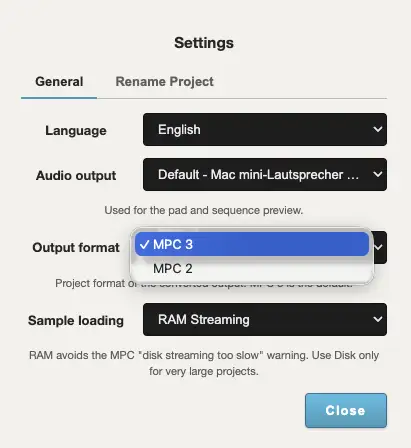
Pick MPC 2 as the output format in Settings and the converter writes MPC 2 projects instead. Samples, all sequences, the Song Mode playlist and the complete pad sound come along: pitch and tuning, filter, envelopes, warp, choke/mute groups, pad mutes, panning and the pad insert effect with all its settings. Chops keep cutting each other off and tuning melodies become keygroups — just like the MPC 3 output. MPC 3 remains the default.
Rename Project
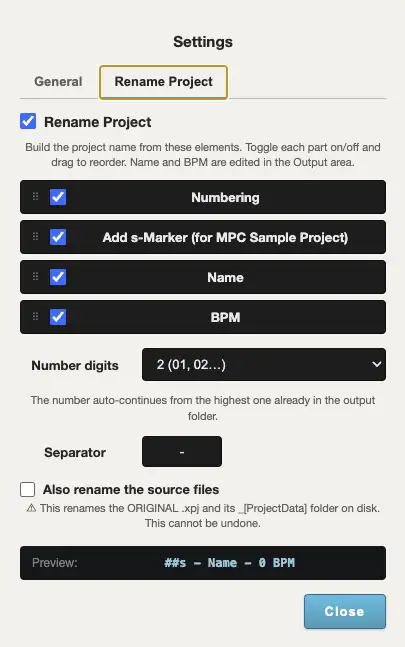
Save time: Just number your projects on the MPC Sample and rename it comfortably with the app later. Build the converted project's name from flexible elements: auto-numbering (continues from the highest number already in your output folder), the project name, BPM and an optional "s" marker that flags an MPC Sample source. Toggle and reorder the parts, set digits and separator, and watch the live preview — the name is applied to the folder, the .xpj and the project data. Optionally the source files are renamed to match.
Your own template (optional)
Want your converted beats inside your own setup? Tick Template and pick your MPC template once — its mixer, submixes, sends, master FX and track layout are kept 1:1. Skip it and a clean default project is used instead.
- Keep Pad FX — carry the source's pad insert effect onto the program.
- Keep Color Compressor — keep the source's master compressor when present.
- RAM / Disk loading — RAM by default, avoiding the "disk streaming too slow" warning.
- Per-pad routing — wet/dry routing is preserved exactly.
- Name presets — add, delete and reset track- and sequence-name presets; remembered between sessions.
- Automation & notes — full sequence data transfers, not just notes.
- MPC 2 / MPC 3 — choose the output format in Settings; MPC 3 is the default.
- Rename Project — pattern-based naming with auto-numbering.
- Settings — language and audio output device for the preview.
- 4 languages — English, German, Spanish, French.
How it works
- 1Drag & drop an MPC Sample project (.xpj) onto the window. Chops and tuning melodies are detected right away.
- 2Set your output folder — and, optionally, tick Template to use your own MPC template as the skeleton.
- 3Name the detected chop/keygroup tracks, split the rest into tracks and rename sequences — or just hit Start.
- 4Click START. A ready-to-open MPC project is written to your output folder. Originals are never touched.
Download
Free for personal use.
Installing the app means you accept the license (CC BY-NC-ND 4.0).
Hang out with other producers, swap ideas, and drop your bugs and feature requests.
Join our Discord© 2026 Padbangers · Licensed under CC BY-NC-ND 4.0 · Vibe coded with Claude.
Akai, MPC and MPC Sample are trademarks of their respective owners. This project is independent and not affiliated with or endorsed by Akai.
Changelog
v1.3.0 Beta
- Feature Date element for Rename Project — the naming pattern can now include the source project's creation date (yy-mm-dd).
v1.2.0 Beta
- Feature MPC 2 export now matches MPC 3 — the track split, "Banks as Programs", "Sort Pads", program and sequence order, program renaming and the chop/keygroup auto-programs all apply to MPC 2 output too. Each track becomes its own program, each chopped sample its own chop program, each tuning melody its own keygroup.
- Feature Program insert FX for MPC 2 — a chosen pad effect and your own MPC 2 template's program inserts are carried; if more than four pile up on a program you're asked which to keep.
- Change "Keep Color Compressor" and Disk Streaming are marked MPC 3 only (they don't exist in the MPC 2 format).
- Bugfix Chopped samples no longer overlap — a chop program that was silent in a sequence used to fill that sequence with phantom slice notes (MPC 3 export), so samples played over each other. Silent chops now stay empty.
- Bugfix Duplicate sequence names are now made unique on import (e.g. "Sequence 01" / "Sequence 01 (2)"), so identically named sequences can be told apart.
- Bugfix Converted projects now open on the first sequence, and every program that plays anywhere shows an editable (empty) track in each sequence.
v1.1.0 Beta
- Feature MPC 2 export — convert projects to the MPC 2 format; choose MPC 2 or MPC 3 in Settings. Samples, sequences, Song Mode and the complete pad sound (tuning, filter, envelopes, warp, choke groups, mutes, pan, insert FX) are carried over.
- Feature Rename Project — pattern-based output naming with auto-numbering, s-marker, name and BPM elements.
- Feature Windows installer — available alongside the portable .exe.
- Change New Output format setting; MPC 3 stays the default.
- Change The Template toggle now defaults to off; the bundled clean template is used unless you pick your own.
- Change macOS builds are signed and notarized.
v1.0.0 Beta
- Feature Initial beta release — Chops to Program, Tuning to Keygroup, tracks & sequences, in-app preview, optional template, Banks as Programs, Sort Pads, 4 languages.
- Bugfix Sequence order and names fixed; stray chop-pad FX removed.